

This means just that, the package is for the project solution and not for a particular project within the solution. If you’re still not sure what I mean let me explain with an example to better illustrate.
If you create an empty console application and add the nuget package called xunit runners:-

This will add the package at the solution level rather than to the consoleapplication1 project as shown below:-
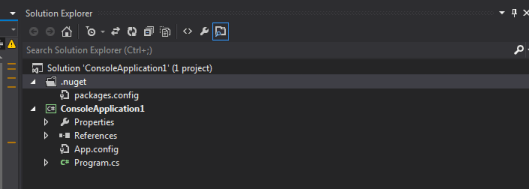
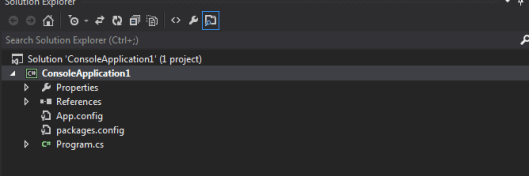
Contrast this will a package level nuget package such as NUnit which is a project level nuget package:-
If you need to create a solution level nuget package then here is what I have found so far:-
- Don’t reference a version of the framework within your Nuspec file
- Don’t reference any dll’s
If you do either then you’ll end up with a project level nuget package.
There is more information on this here.